
Compare
Plenty of good boxes. Here is the table.
Eight columns, four other makers, sources under the table, and three situations with the columns that decide each one.
01Comparison
Plenty of good boxes. Only one that unlocks the screen itself and is set up from your phone.
KiteRelay
- Screen never relayed through the maker
- YesYes
- Wi-Fi setup from phone
- YesYes
- Unlocks the screen itself
- YesYes
- Jiggler on a schedule
- YesYes
- Tailscale built in
- YesYes
- Generic hardware identity
- YesYes
- Updates itself, with rollback
- YesYes
- Unplugs keyboard and mouse when idle
- YesYes
PiKVM
- Screen never relayed through the maker
- YesYes
- Wi-Fi setup from phone
- NoNo
- Unlocks the screen itself
- NoNo
- Jiggler on a schedule
- Limited or add-onLimited or add-on
- Tailscale built in
- Limited or add-onLimited or add-on
- Generic hardware identity
- Limited or add-onLimited or add-on
- Updates itself, with rollback
- Limited or add-onLimited or add-on
- Unplugs keyboard and mouse when idle
- NoNo
TinyPilot
- Screen never relayed through the maker
- YesYes
- Wi-Fi setup from phone
- NoNo
- Unlocks the screen itself
- NoNo
- Jiggler on a schedule
- Limited or add-onLimited or add-on
- Tailscale built in
- YesYes
- Generic hardware identity
- NoNo
- Updates itself, with rollback
- Limited or add-onLimited or add-on
- Unplugs keyboard and mouse when idle
- NoNo
JetKVM
- Screen never relayed through the maker
- Limited or add-onLimited or add-on
- Wi-Fi setup from phone
- NoNo
- Unlocks the screen itself
- NoNo
- Jiggler on a schedule
- YesYes
- Tailscale built in
- Limited or add-onLimited or add-on
- Generic hardware identity
- Limited or add-onLimited or add-on
- Updates itself, with rollback
- Limited or add-onLimited or add-on
- Unplugs keyboard and mouse when idle
- NoNo
StarTech IP-KVM
- Screen never relayed through the maker
- YesYes
- Wi-Fi setup from phone
- NoNo
- Unlocks the screen itself
- NoNo
- Jiggler on a schedule
- NoNo
- Tailscale built in
- NoNo
- Generic hardware identity
- NoNo
- Updates itself, with rollback
- Limited or add-onLimited or add-on
- Unplugs keyboard and mouse when idle
- NoNo
Compared against publicly listed features as of October 2026. Products change, so check the maker’s own page before you decide. Automatic unlock does nothing until you have set it up, and you can switch it off. Generic hardware identity means the computer sees ordinary peripherals, not a KVM.
Where these marks come from
- PiKVM: the PiKVM Handbook pages on Tailscale, the mouse jiggler and device identification. Tailscale is a terminal install, the jiggler has no schedule, and the USB identity is editable by hand.
- TinyPilot: the knowledge base article on installing Tailscale, which TinyPilot Pro does from its web interface.
- JetKVM: the Keyboard and Mouse page, the 0.5.9 release notes and the Remote Access page. The jiggler has had a schedule since firmware 0.5.9. Tailscale is not pre-installed: it installs from JetKVM’s own script over SSH. Remote access can fall back to a relay JetKVM provides (encrypted) when a direct connection fails. When nobody is connected it can hide itself as a monitor, but its keyboard and mouse stay attached.
- StarTech IP-KVM: the SV1108IPEXT product page and its manual. StarTech now lists that model as discontinued.
Checked on 8 October 2026. Products change; if a maker adds one of these, the mark changes too. Write to support@kiterelay.com if you spot one we have missed.
02What the other computer sees
Two ordinary devices. That is the whole list.
Generic hardware identity is the column that matters for a locked-down work laptop you are authorised to manage. It sees a wireless receiver and a plain monitor, the same as any desk, and there is nothing on it to install or to notice.
Connected devices
- USB receiverKeyboard and mouseReady
- Monitor1600 x 900, 60 HzReady
Nothing else. Nothing installed.
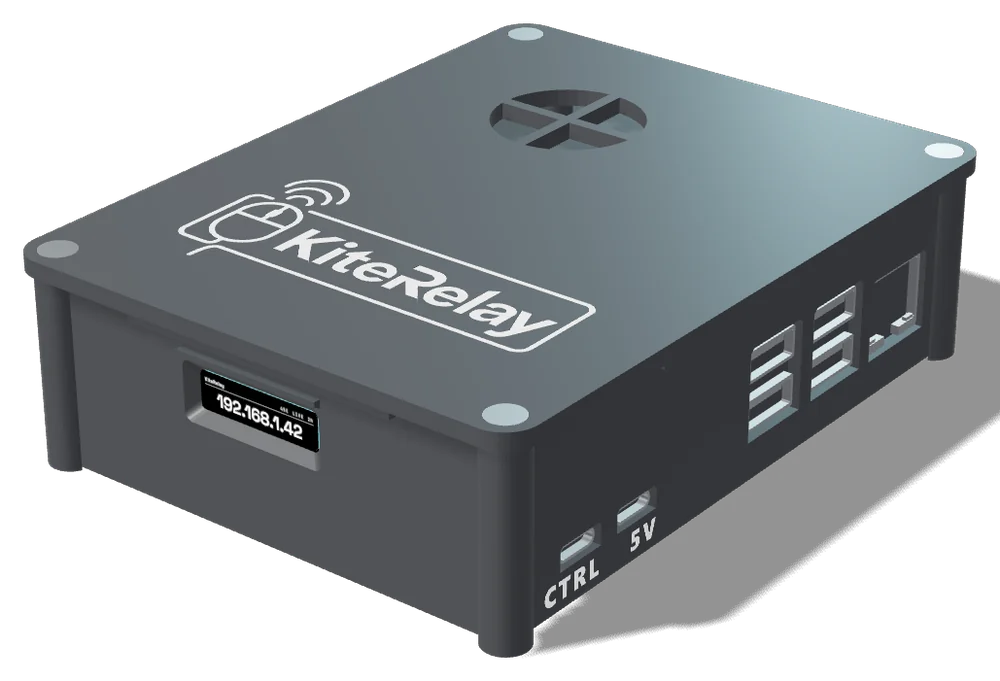
What is actually there
KiteRelay, with a generic hardware identity.
The computer sees ordinary peripherals, not a KVM. There is nothing on it to notice, because there is nothing on it.
03Which one is right for me
Three situations. The columns that decide each one.
- 01
The machine is at home. I am not.
You want to reach it from an office or a phone, get past its lock screen, and never touch a router setting.
Look at
- Tailscale built in
- Unlocks the screen itself
- Wi-Fi setup from phone
- 02
The other computer must not notice anything.
It should see an ordinary keyboard and monitor, and nothing at all while you are away.
Look at
- Generic hardware identity
- Unplugs keyboard and mouse when idle
- 03
I want it running in ten minutes, without a terminal.
Set up from a phone, kept up to date on its own, and a jiggler that keeps a long job moving.
Look at
- Wi-Fi setup from phone
- Updates itself, with rollback
- Jiggler on a schedule
Questions about this? The FAQ has a section on buying.