KiteRelay

For hardware you own

Full control of your machine.
From anywhere. Invisible.

A small box you plug into your other computer. See its screen and take over, live, from any browser in your house, and that computer can’t tell anything is there.

For a second computer you own, or one you are authorised to manage. Not for watching someone else’s.
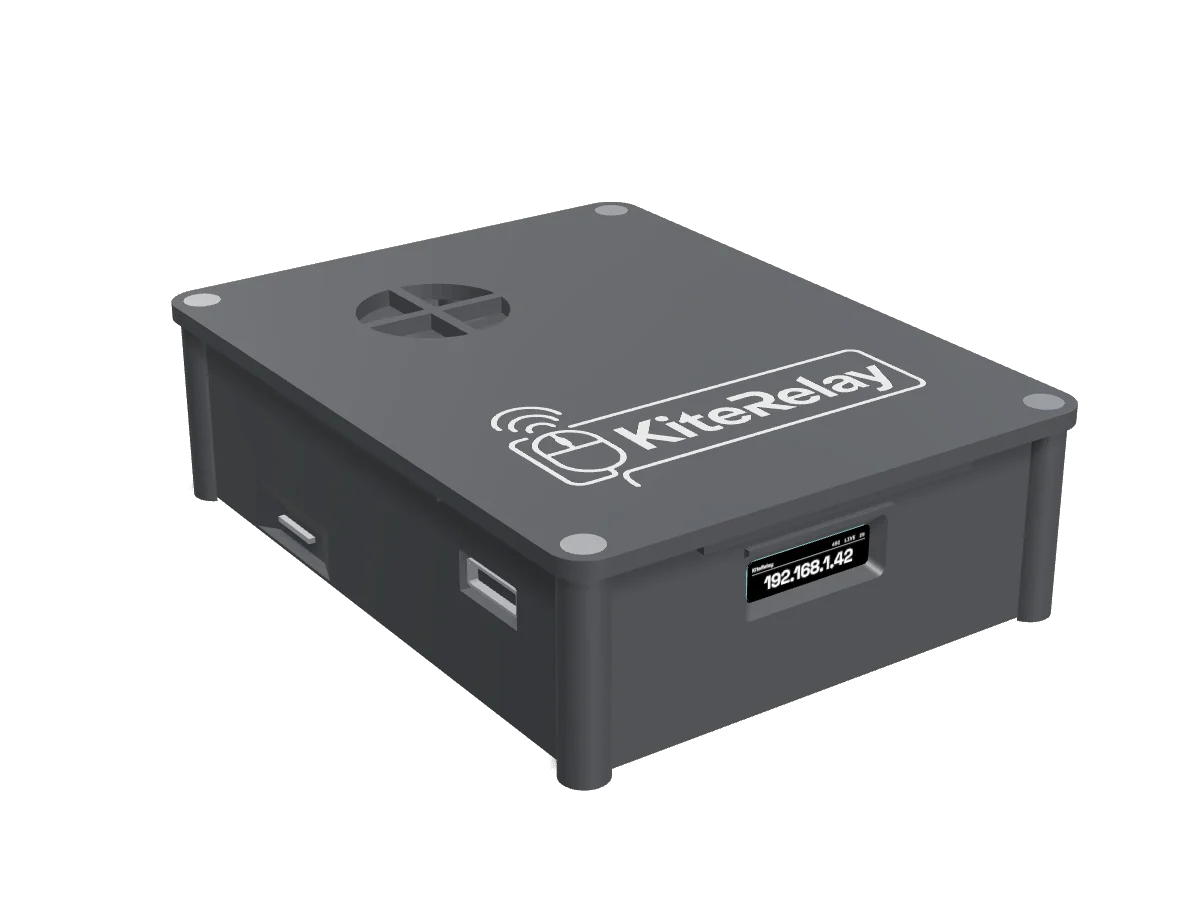
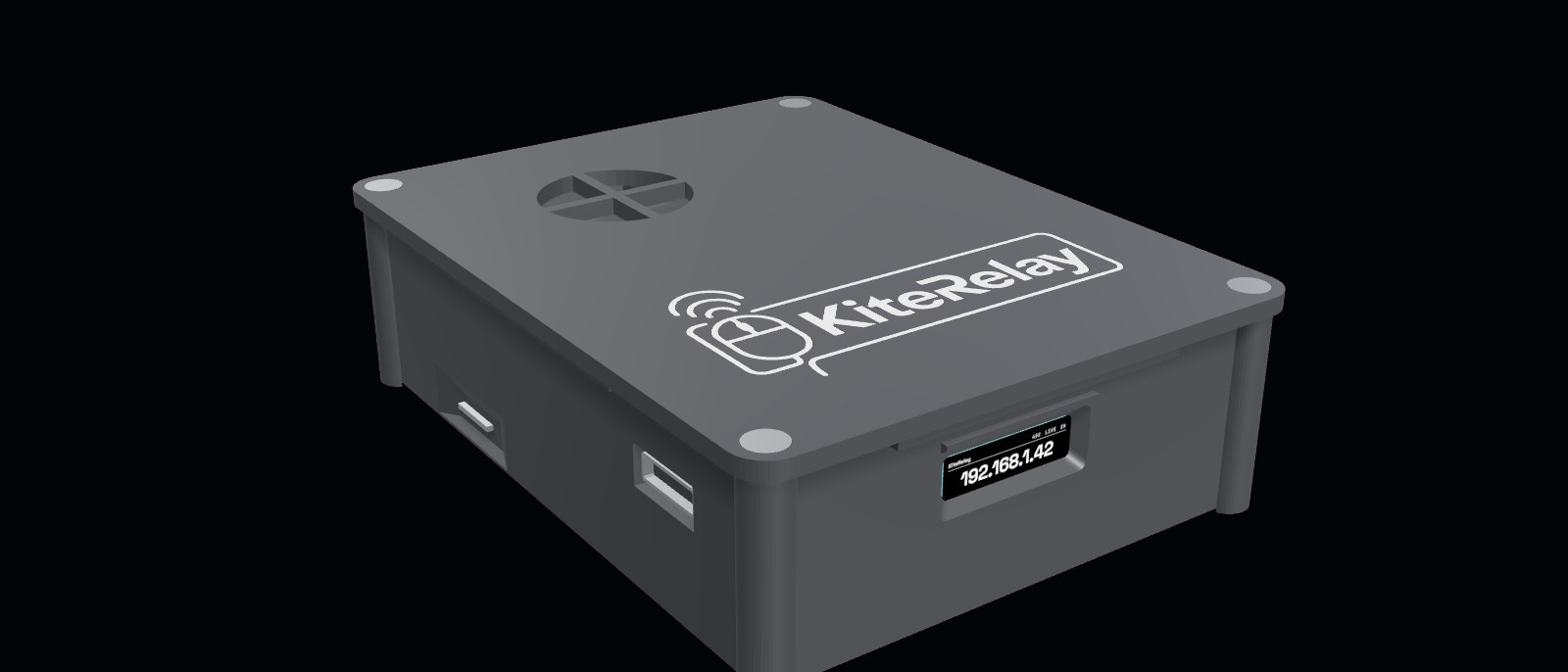
The KiteRelay device: a small sealed box with an engraved lid, a lit status window showing its address, and labelled ports along one side.
Product rendering

01The problem

Reaching a second computer is harder than it should be.

It’s out of reach.

The machine is in another room, or has no screen or keyboard plugged in at all.

You don’t want to install anything.

Remote-control apps put software on it. That’s extra weight, and something it can detect.

You don’t want it to know.

Store-bought boxes announce themselves. The machine sees a strange new device forever.

KiteRelay fixes all three. Private, yours for one price, and completely invisible to that computer.

02The reveal

Same box. Two truths.

To your computer, it’s just a monitor and a keyboard.

What the target computer sees

  • An ordinary wireless mouse and keyboard receiver
  • Just a plain monitor
  • A normal PC on the network
  • A person typing

What’s really there

  • A full remote-control box, hidden in plain sight
  • It records the screen
  • Blends in with the other devices on your network
  • Keeps no history of your sessions
Introduces itself as an ordinary mouse and keyboardIntroduces itself as an ordinary monitorBlends in with the other devices on your networkKeeps no history of your sessionsTypes the way a person types

03How it works

Four steps. Then you’re in.

01

Plug in two cables.

One carries the other computer’s screen into the box. One makes the box act as its keyboard and mouse. Then power it on.

02

Point your phone at it.

The first time it starts, the box makes its own WiFi network. Join it from your phone, pick your home WiFi, and it remembers it forever.

03

It puts on a disguise.

It looks like an ordinary wireless mouse and keyboard, plus a plain monitor. The computer sees nothing odd.

04

Open one web page.

The setup screen hands you your box’s address. Open it from your own laptop, set your password, and you are in. Move your mouse and its cursor moves. Type and it types.

No software on the other computer. Nothing for it to detect.

04What sets it apart

Everything a good box does. Plus the one thing none of them can.

Invisible to the target.

It dresses up as an ordinary mouse and monitor, so the other computer never flags a control box. The other devices here can’t do this.

Sets up from your phone.

First run, it makes its own setup WiFi network. Join from your phone, pick your home network, done. No cable, no screen.

Wake it, then use it.

Power the other computer on from the same page with Wake-on-LAN, or set a wake schedule so it is already up when you need it.

Connects only when in use.

Between sessions it can unplug its own keyboard and mouse from the target, so nothing is attached while you’re away.

Fixes itself.

Plug it in and it sets up its own video and disguise. If WiFi or power blips mid-session, it reconnects on its own.

Type and paste across.

An on-screen keyboard for keys your laptop can’t send, saved clips and key-sequence macros, plus paste a password or block of text straight onto the other machine.

05The control room

Now shipping

One page runs the whole thing. Even when you are not watching.

  • Automation

    A jiggler that runs itself.

    Keep the target awake with tiny nudges, and tell it when to start and stop: after a set time, at a clock time, or on a repeating daily window. It uses the device’s own clock, shows the timezone, and survives a restart or a power cut.

  • Sessions

    See who is connected, and end it.

    Every open session shows its address, browser and how long it has been there, with a button to disconnect any of them. Your own session is marked, so you can’t cut yourself off.

  • Adaptive

    Picture that gives way to control.

    On a weak connection it eases the picture back a step so your keyboard and mouse stay sharp, then returns when the line is clean. It never goes sharper than the setting you picked.

  • Access

    Lock it behind two factors.

    Password, plus a 6-digit code when you switch it on, with recovery codes you save once. Signing out ends remembered logins everywhere.

  • Fleet

    Run more than one.

    Name each device so your tabs are easy to tell apart, and keep your own list of units in one launcher page. The name is yours alone: it never reaches the identity the other computer sees.

  • Updates

    Updates in plain words.

    The update panel lists what changed in language you can act on, not developer shorthand.

06Specs & speed

Live video. Not a slideshow.

1080pFull-HD picture

50fps

frames every second, smooth

~9ms

delay on home WiFi, feels live

~27ms

control delay measured over a real remote link

The other computer’s screentoThe KiteRelay boxtoYour browser

Feels instant

Live video, not a slideshow.

Private

Stays on your own network.

Simple

Two cables and a web page.

Self-setup

From your phone, no cable.

07Remote & protected

Included, nothing extra to buy

Reach it from anywhere. Nobody else can.

Built-in remote access

Tailscale is built in. Turn it on once and your box joins a private network only your devices can see, so you can take over from a hotel, an office, or a phone on mobile data exactly as you would from the next room.

  1. You

    Any browser, anywhere

  2. Private link

    Encrypted, direct to your box

  3. The box

    On your network, at home

  4. The target

    Sees a monitor and a keyboard

No ports opened on your router, and no cloud service in the middle holding your screen. The picture and your keystrokes travel straight between your devices.

Six layers between it and everyone else

  1. 01

    A password on the page.

    The control page will not open without it, and the admin side keeps its own separate password.

  2. 02

    A second factor.

    Add a 6-digit code from your authenticator app, with recovery codes you save once. Signing out ends remembered logins everywhere.

  3. 03

    Lock it to your private network.

    Turn on private-network-only access and the box stops answering anything else, even on your own WiFi.

  4. 04

    Kick anyone off.

    Every live session shows its address, browser and how long it has been connected, with one button to disconnect it.

  5. 05

    Encrypted where it rests.

    Its settings and secrets are held encrypted on the device, unlocked only as it starts.

  6. 06

    Logs that never land.

    Sign-ins and connection history live in memory and are gone on restart. Your WiFi name is never written to storage.

08Trust

Locked down, and for a computer you own.

Password-protected.

The web page needs your password. Nobody opens it and takes over without it.

Stays on your network.

The screen and controls never leave your home. There’s no cloud server for anyone else to reach. Away from home, it comes with you securely over Tailscale.

It’s for YOUR machine.

Built to run a second computer you own, privately. Not to watch someone else’s.

09Comparison

Plenty of good boxes. Only one the other computer can’t tell is there.

KiteRelay

Private (no cloud)
YesYes
Smooth 1080p
YesYes
Wi-Fi setup from phone
YesYes
Mouse jiggler
YesYes
Unplugs when idle
YesYes
Stealth (can’t be detected)
Yes, fully stealthYes, fully stealth

PiKVM

Private (no cloud)
YesYes
Smooth 1080p
YesYes
Wi-Fi setup from phone
NoNo
Mouse jiggler
YesYes
Unplugs when idle
NoNo
Stealth (can’t be detected)
NoNo

TinyPilot

Private (no cloud)
YesYes
Smooth 1080p
Limited or add-onLimited or add-on
Wi-Fi setup from phone
NoNo
Mouse jiggler
Limited or add-onLimited or add-on
Unplugs when idle
NoNo
Stealth (can’t be detected)
NoNo

JetKVM

Private (no cloud)
YesYes
Smooth 1080p
YesYes
Wi-Fi setup from phone
NoNo
Mouse jiggler
YesYes
Unplugs when idle
NoNo
Stealth (can’t be detected)
NoNo

StarTech IP-KVM

Private (no cloud)
YesYes
Smooth 1080p
NoNo
Wi-Fi setup from phone
NoNo
Mouse jiggler
NoNo
Unplugs when idle
NoNo
Stealth (can’t be detected)
NoNo

Compared against publicly listed features as of August 2026. Products change, so check the maker’s own page before you decide.

yes~ limited or add-on✕ no stealth

10Ready today

It works the moment you plug it in.

Works on any computer.

Windows, Mac, or Linux, and even a machine with no operating system yet. To it, the box is just a monitor and mouse.

Even when it’s stuck.

Drive it through a restart, into the BIOS, or when the screen is frozen, exactly when you can’t reach it any other way.

Use it from anywhere.

On your home network, or securely over the internet with built-in Tailscale.

Reconnects on its own.

If WiFi or power blips mid-session, it comes right back without you touching it.

Wake it from cold.

Power the target on remotely, or on a schedule, so it is ready before you are.

Grows with you.

Run several units, name each one, and keep your own list of them in one launcher page.

One payment. No subscriptions, ever.

Buy it once.
Then it is yours.

Reserve yours

You pay once for the only remote box the other computer can’t see. Commercial KVMs cost as much or more, then bill you every month.

Sold for a computer you own, or one you are authorised to manage.

Free updates.

New features and fixes as they land, at no extra charge.

Full support.

I help you set it up and keep it running. One person builds and supports this, so you reach me directly.

No lock-in.

Nothing phones home. Run it entirely on your own network, forever.

The invisible remote control for a computer you own.