
Automation
Past the lock screen, on your terms.
It types a password you gave it, only after it is sure, and refuses more often than it acts. That is the whole feature, and the reason it can be trusted.
01Screen unlock
On its own, once you set it upYour computer locks itself. This one gets you back in.
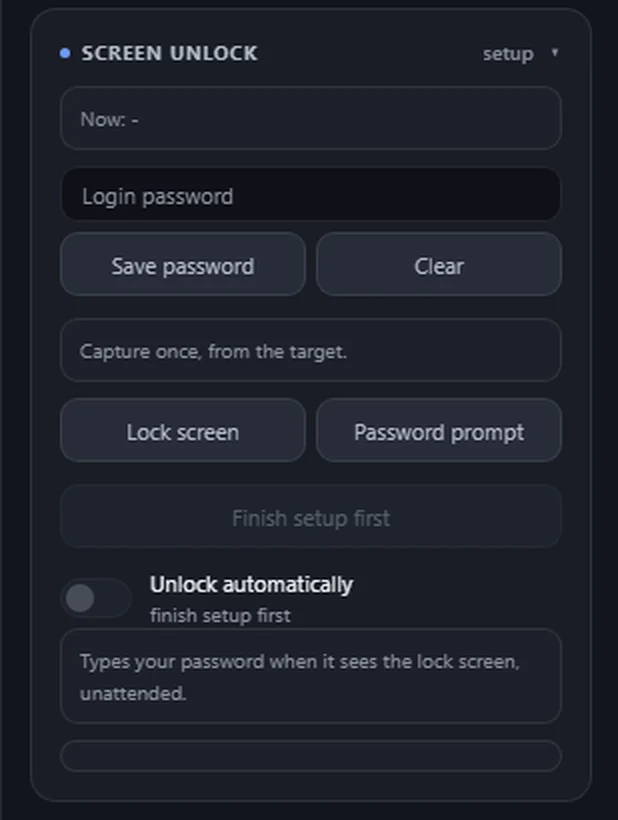
A machine that locks itself is the oldest way to lose access to it. You can see the screen, you can move the mouse, and you still cannot get in. Save the password once and KiteRelay types it for you, but only after it has proved the screen really is locked.
It types a password you gave it. That is the whole of what it does: it cannot open a machine you do not have the password for, and nothing here is a way around one. If anything about the screen is uncertain, it does nothing and says so.
- Locked
1
The screen locks itself.
The machine is right there on your screen, and you still cannot get in.
- Lock screenmatchedPassword promptmatched
2
KiteRelay checks, twice.
It matches the lock screen you showed it, then the password prompt, on a fresh look each time.
- ••••••••Unlocked
3
It types the password you gave it.
Only then, and only that. You are back in.
Six things it refuses to do
- 01
The password never leaves the box.
It is held in the encrypted vault, readable only by the device itself. No part of the interface shows it back to you, no request returns it, and it is never written to a log.
- 02
It will not type at a screen it cannot recognise.
Recognition works one way only: a frame it is unsure about is never treated as a match. A device that has not been shown your lock screen simply refuses.
- 03
It checks twice, and the second check is immediate.
The password prompt is confirmed again on a fresh look at the screen, in the instant before the first key is sent.
- 04
It holds the keyboard while it types.
Control is exclusive for those few seconds, so nothing else can slip keystrokes in between its own.
- 05
A power cut cannot reset its failed attempts.
The budget is written before the attempt rather than after, so a crash mid-type still counts against it. That is what stops a box quietly walking your account into a lockout.
- 06
It refuses a password it cannot type correctly.
If your keyboard layout means a character would come out wrong, it declines rather than sending the wrong thing.
There is an automatic mode. Once you have set it up, it works on its own.
It can unlock the machine without you asking. A new unit does nothing until you have saved the password and shown it both screens. From then on it works on its own, and it still has to pass every check below before it will ever type. Turn it off whenever you like and it stays off. It is deliberately slow and heavily gated, which is the point.
What it waits for, every time
- the feature switched on
- the device activated
- a confirmed view of the screen, never a blank or blind one
- a minimum idle time
- a permitted time window
- a cooldown since the last attempt
- a daily budget that survives restarts
- three readings in a row that agree the screen is locked
Works on Windows, macOS and Linux, managed corporate Macs included.
Questions about this? The FAQ has a section on using it.